Changes in version 12
Once your website has been upgraded and you log in to work in TYPO3 version 12, you will experience a number of changes. The most important and notable changes are listed here. We are continuously working on updating the TYPO3 guides to version 12, so they reflect the below mentioned changes.
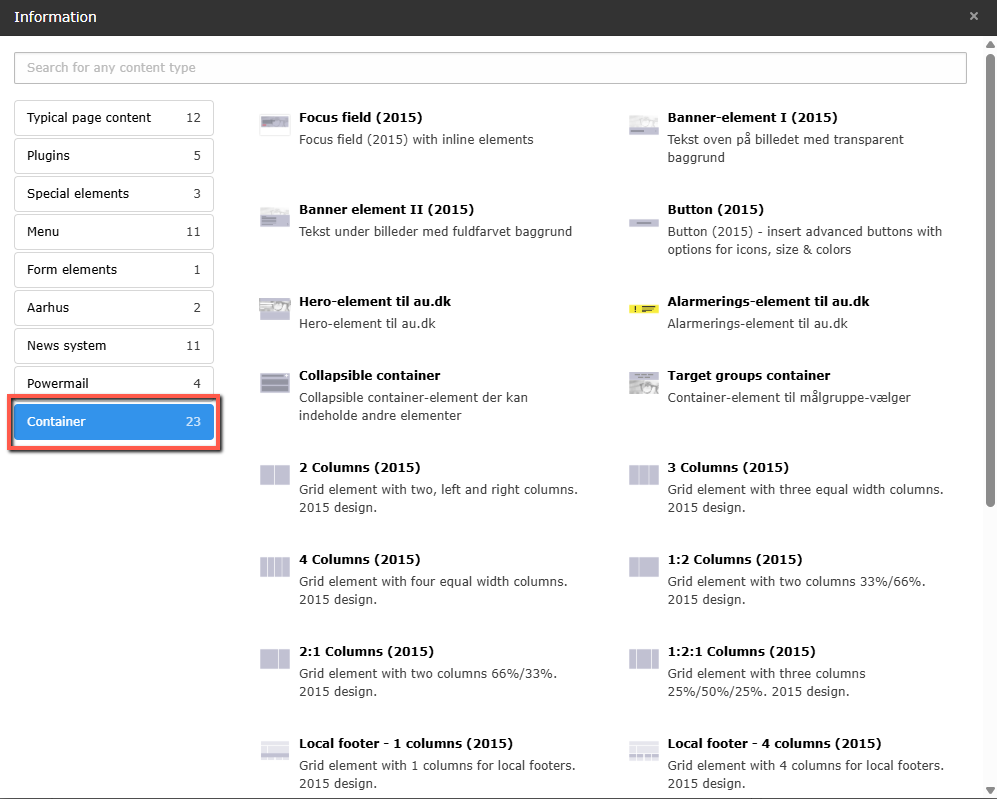
Grid elements have been converted to container elements
Removed icons in the editor
The editor in TYPO3 version 12 has many of the same functionalities as in version 10. However, a few functionalities have been removed. You cannot use the following functionalities in TYPO3 version 12:
- Spellcheck
- Paste from Microsoft Word button
- Paste plain text button
- Paste button
Editors can still use Copy+Paste keyboard shortcuts in the editor
Recursive delete in User Settings
Recursive delete cannot be disabled via the checkbox in User Settings. Recursive delete is a default setting for all users in TYPO3 version 12. Users of version 12 now has to be attentive while deleting pages. Upon deleting a page with subpages, the subpages will be deleted as well. If this happens by mistake, the pages can be recreated by using the TYPO3 recycler extension. This has to be done by an admin, who has access to the extension. Users should in these cases contact AUs TYPO3 support via typo3@au.dk.
From Mixed mode to Connected mode
Translation works differently in TYPO3 version 12, which affects when you as an editor want to go from Mixed mode to Connected mode. In version 10, the editor could manually connect the elements in the second language and the original language, but this creates duplicates under "Unused elements" in TYPO3 version 12. Therefore, the editor may delete/clean up unused elements, but in reality delete elements that are part of the page's content in the second language.
If you as an editor want to go from Mixed mode to Connected mode, you should delete all content items in the second language. Hereafter, you need to click the "Translate"-button and translate the elements from scratch again – as you would do when choosing Connected Mode from scratch. In this way, you avoid the elements in the secondary language becoming part of "Unused elements" and prevent that they can be mistakenly deleted.