Translation of Pages and Elements
Here you will find a guide for translating pages and elements in TYPO3. The guide is based on pages with Danish as the default language being translated into English. The process is the same if you are working with a page with English as the default language being translated into Danish, German, or Spanish.
Layout view or language view
Layout view or language view
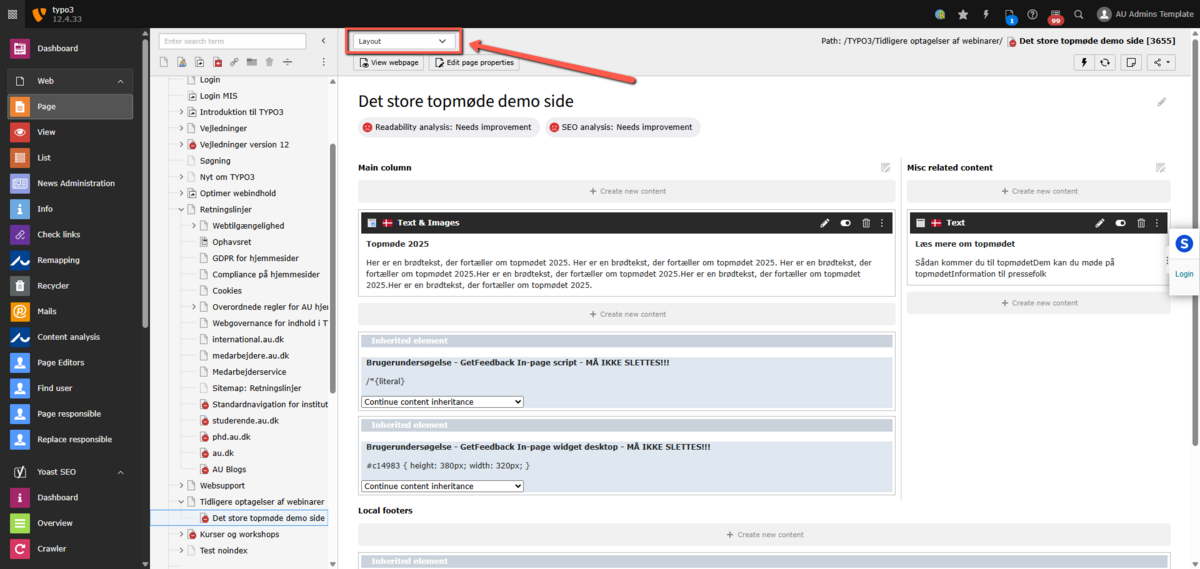
TYPO3 is configured to display pages in the backend using Layout, as shown here. This view offers the advantage of focusing on one language at a time, thus providing more screen space to display content elements.
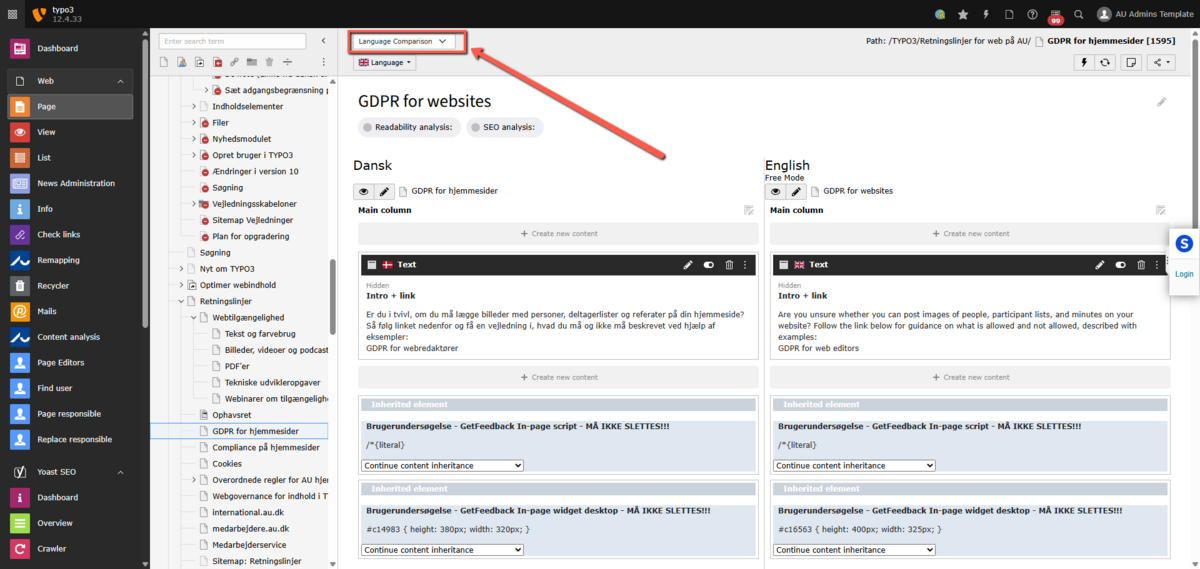
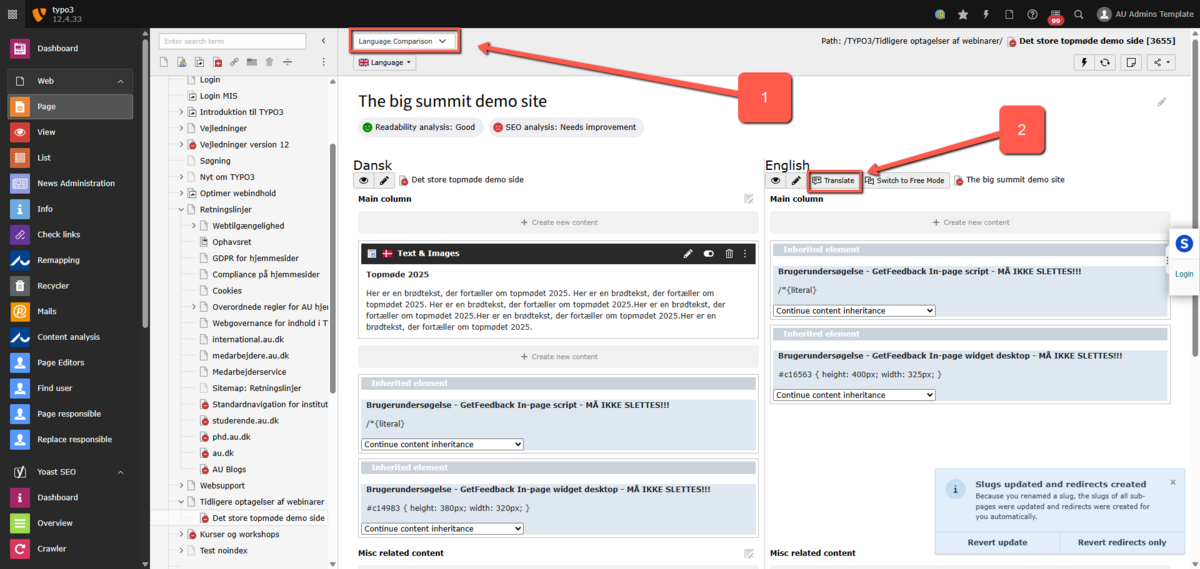
When working with two (or more) language versions of a page, it can be advantageous to switch the page view to Language comparison. This provides a better overview of the two language versions as they are displayed side by side. If you choose the Language view, you can also edit the page properties for the alternative language, as the Edit icon now appears for the alternative language.
OBS: When you have chosen the Language comparison-view, you must make another setting in the Language-field in order to have the two language versions displayed besides each other in the backend. In the Language-field, you must chose the secondary language for your page.
Translate the page itself first
Translate the page itself first
To work with translation, the page itself must first be translated into English. Before this is done, you cannot translate the individual elements.
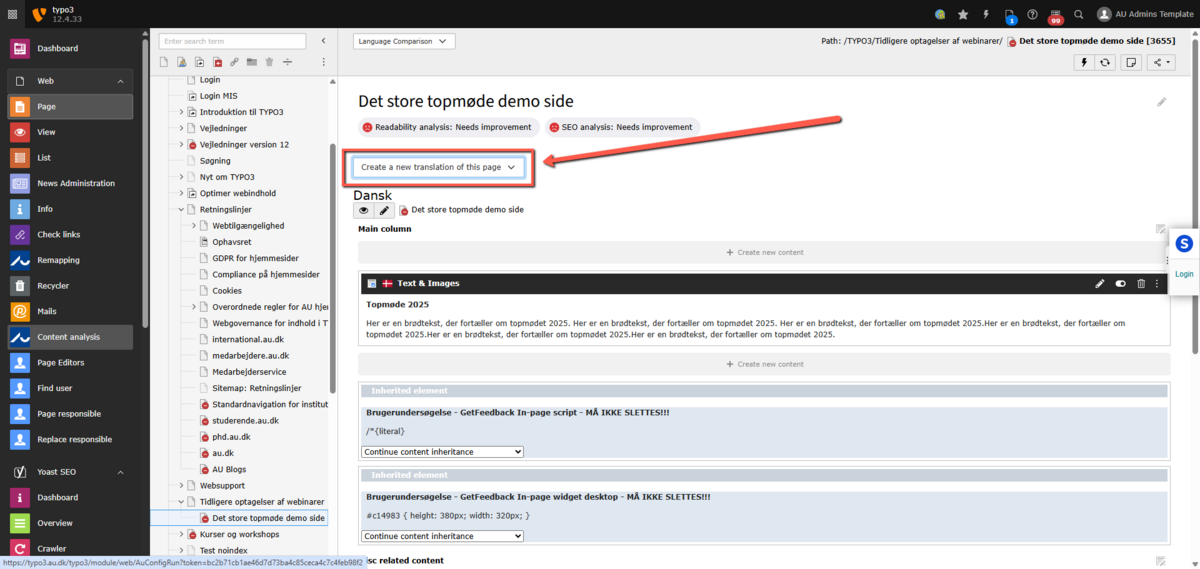
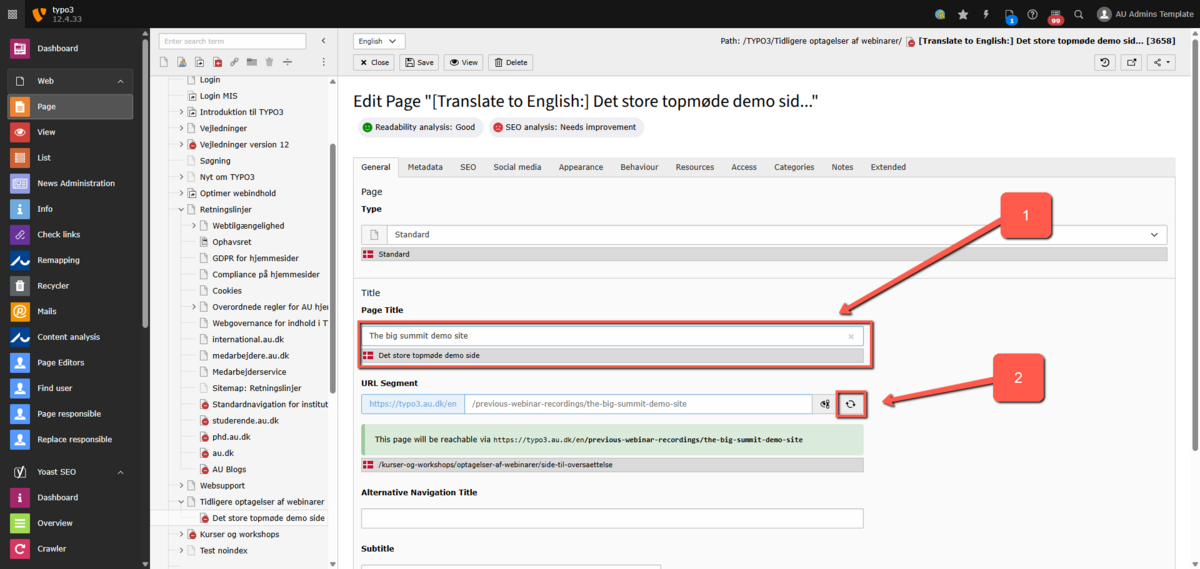
Select the page that needs to be translated into English. Make sure you are in the Language view. Select the desired language from the dropdown menu next to create a new translation of this page.
- Give the English version of the page a page title.
- Click Recalculate URL segment from page title to update the URL for the English page, and then click Save.
You will now have both a Danish and an English version of the page. For more details, see the guide on URLs for translated pages.
Translation of page elements
Translation of page elements
Once you have translated your page, you can start translating individual elements on the page.
- Ensure you are in Language view.
- Click on Translate in the English version of the page.
Here is a guide on how to choose your translation method. You have two options:
- Translate – By selecting Translate, you maintain the link between the Danish and English versions. This means that changes in the Danish version of the page will also be reflected in the English version. If you move or delete an element in the Danish version, it will also be moved or deleted in the English version. Choose Translate if the Danish and translated pages need to look alike.
- Copy – By selecting Copy, the English translation is created as a separate page independent of the Danish one. The English content elements are not linked to their original Danish versions. Therefore, any changes to the Danish page will not affect the English version. Choose Copy if you want the Danish and English layouts to be different from each other.
Which translation method to choose depends on your situation. For pages with few static elements, using Translate to maintain consistency between language versions can be advantageous. For more complex pages, where you might want different layouts for Danish and English, Copy is generally preferred.
Select the option you want and click Next.

Choose which page elements from the Danish version you want to create in English (by default, all elements are selected), and then click Next.
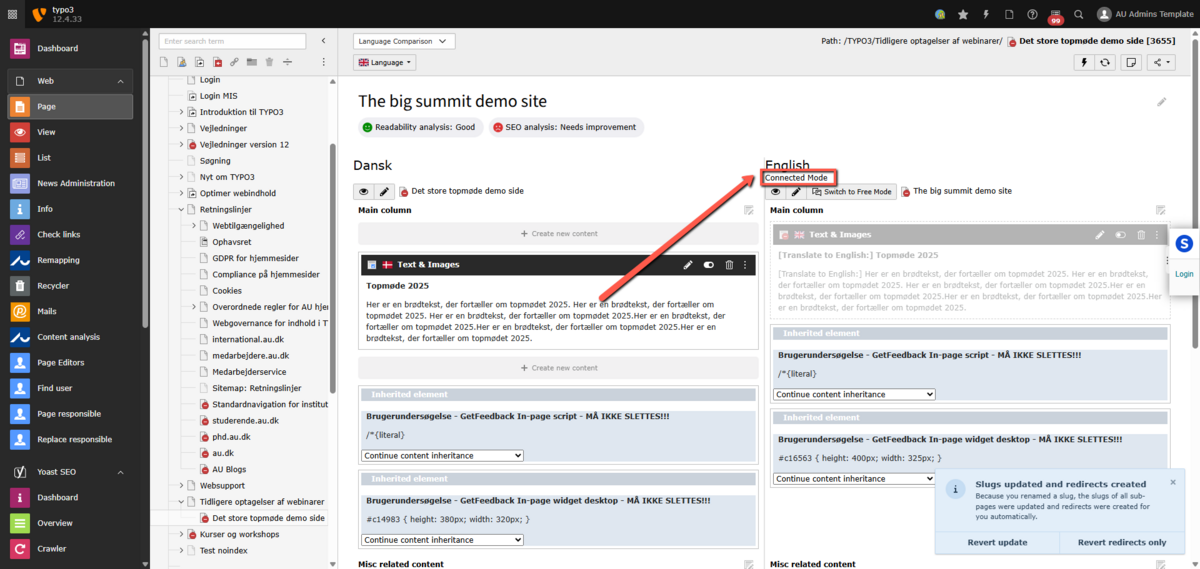
You now have a translation of the page where the Danish and English versions are linked, as indicated by "Connected mode" being shown for the English version.
You can now insert the English texts into the English version of the page.