Embed Microsoft Forms on your page
Go to the page in the TYPO3 backend where the form should be located. Paste the element called "Plain HTML element" on the page.
Open new tab in your browser. Now go into the form you have created in MS Forms and do the following:
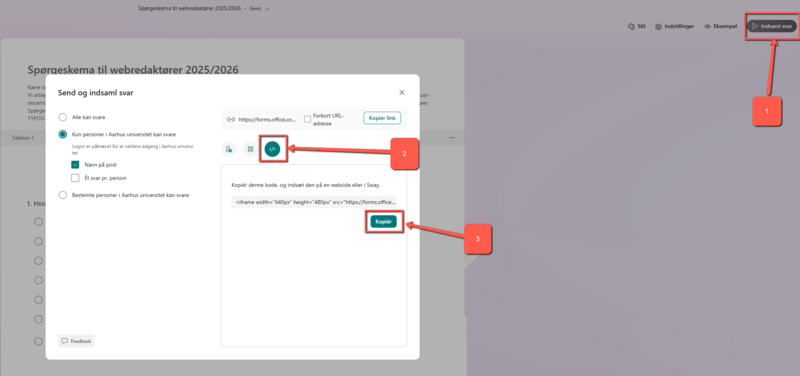
- Tap the "Collect Responses" button and a dialogue box will pop up
- Press the "Embed" button and the iframe code will appear
- Press the "Copy" button
Now go back to the tab where you are logged in to TYPO3. Paste the iframe code into your HTML element and check in the frontend that everything looks ok and the end user can fill in and send the form response.